Learn it, shown.
Every part of DuckyHelper has a short film, then plain steps. Watch the one you need, or start from the top.

Start here
New to DuckyHelper? These four pages take you from nothing to your first answer.
- 1Welcome to DuckyHelperA tutor that shows you, in an app for your Mac: Ducky on your screen, Eddy in its own tab. Mac
- 2Install DuckyHelper on your MacDownload, drag to Applications, open, and how updates and uninstalling work. Mac
- 3Create your account and sign inEmail with a one-time code, or Google, Apple or GitHub; under 13 needs a parent. Mac
- 4Your first lesson with EddyEddy gets to know you, then answers your first question; three example lessons to watch. Mac
Every film, by section
Each page leads with its film. Pick a part of DuckyHelper and watch it work.
Start here
What DuckyHelper is, how it teaches, and getting set up on your Mac.
 Welcome to DuckyHelperFilm · 1:05A tutor that shows you, in an app for your Mac: Ducky on your screen, Eddy in its own tab. Mac
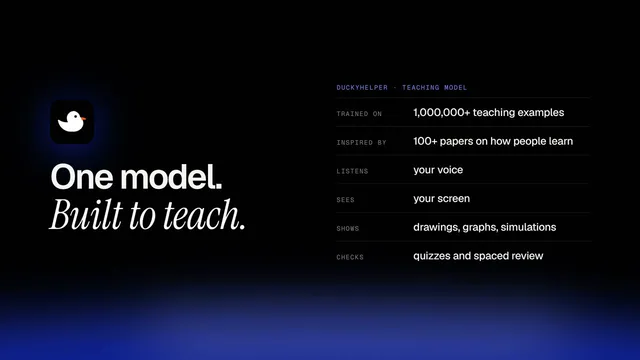 How DuckyHelper teachesFilm · 1:00It asks, shows, lets you try, checks, and brings things back before you forget. Mac
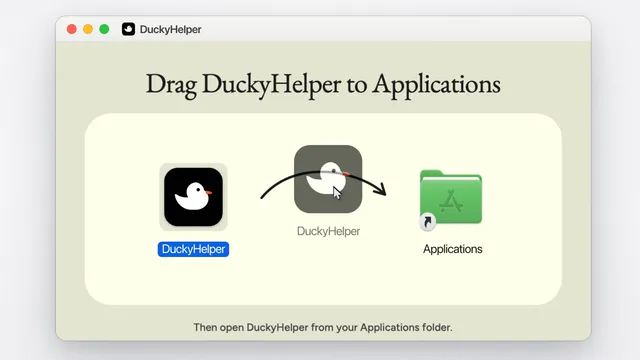 Install DuckyHelper on your MacFilm · 0:40Download, drag to Applications, open, and how updates and uninstalling work. Mac
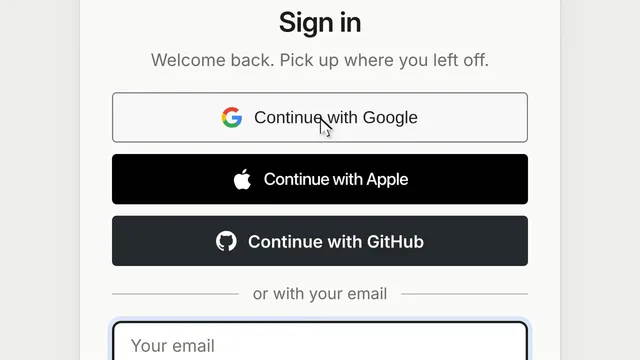 Create your account and sign inFilm · 0:28Email with a one-time code, or Google, Apple or GitHub; under 13 needs a parent. Mac
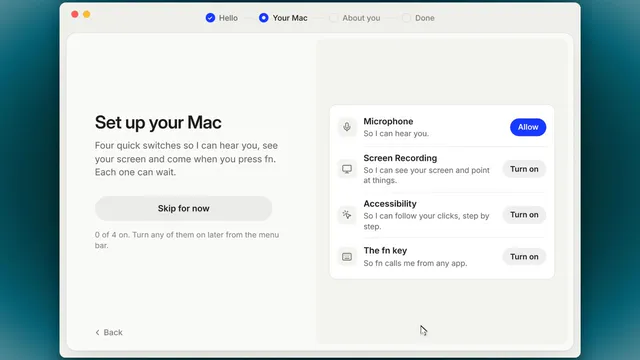 Set up your Mac: permissions and the fn keyFilm · 0:51The four short setup steps and the four Mac switches Ducky needs. Mac
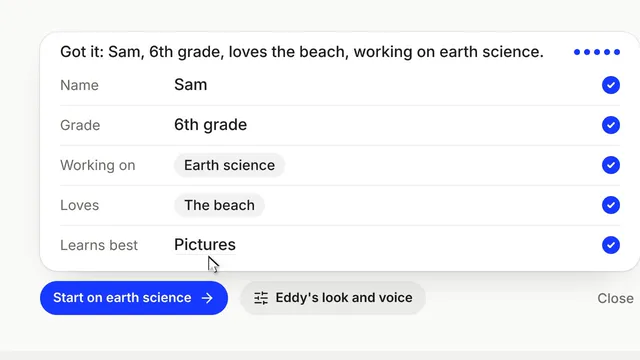 Your first lesson with EddyFilm · 0:44Eddy gets to know you, then answers your first question; three example lessons to watch. Mac
DuckyHelper on your Mac
Press fn in any app. Ducky sees your screen, points and draws on it, and walks you through it.
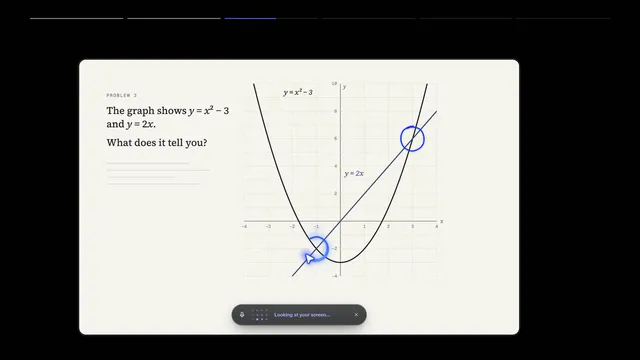 Press fn to talk to DuckyFilm · 0:39The pill: talk, read the captions, put it away. Mac
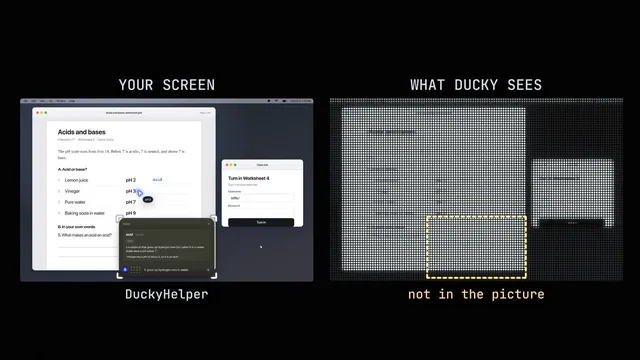 Ducky sees your screenFilm · 0:37Ask about exactly what is in front of you; what it looks at, and when it doesn't. Mac
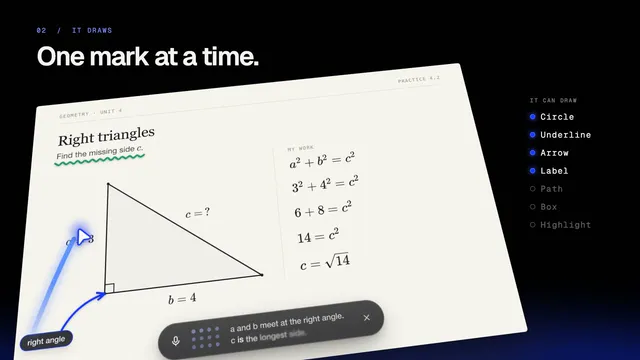 Ducky points and draws on your screenFilm · 0:41The pointer, circles, arrows, labels and the spotlight, right over your apps. Mac
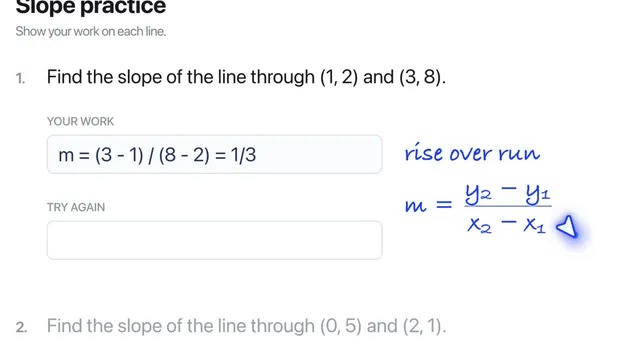 Ducky writes next to your workFilm · 0:30Handwritten hints and math in the margin, beside the line they are about. Mac
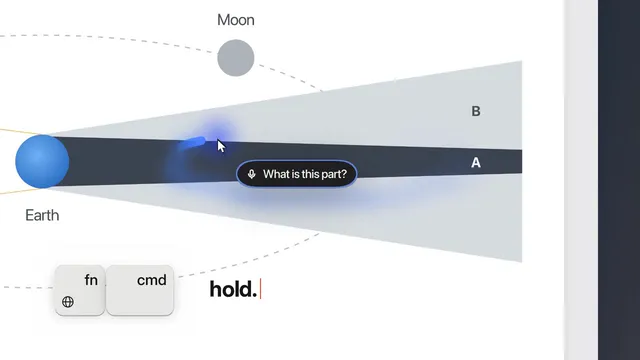 Point at it yourself (fn + cmd)Film · 0:31Hold fn + cmd, trace over the thing, and ask "what is this?" Mac
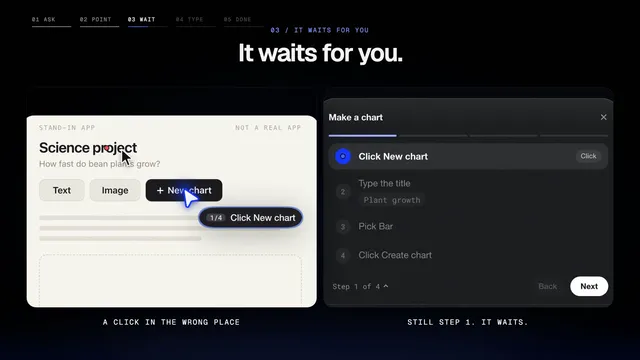 Step-by-step tutorials in your own appsFilm · 0:40Ducky shows each step, waits for you to do it, and moves on when you did. Mac
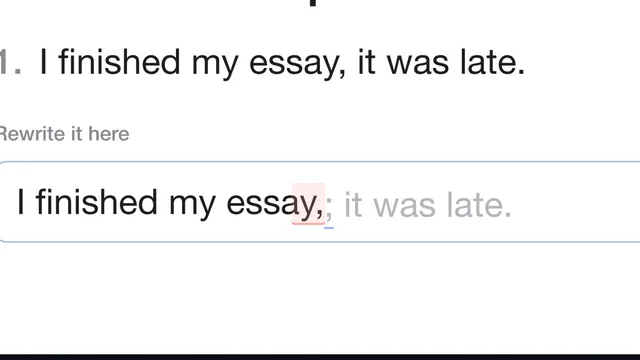 Typing coachFilm · 0:40Grey ghost letters at your caret in any app; a slip is marked so you can fix it. Mac
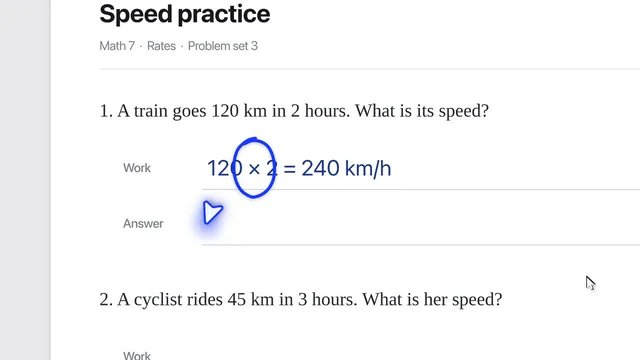 Watch while you workFilm · 0:38Ask Ducky to keep an eye on your work and speak up at the right moment. Mac
- Film comingWatch me, then youDucky shows a task once, then you do it; it clicks or types for you only when you ask. Mac
- Film comingRead along on your screenWords light up on your screen as Ducky reads, or as you read. Mac
- Film comingThe shared whiteboardOpen Whiteboard: you and Ducky draw on the same board. Mac
- Film comingThe Island (beta)Ducky at the top of the screen by the notch, instead of the pill. Mac
- Film comingThe menu bar duck and the dashboardEverything in the duck's menu, and the dashboard window. Mac
Eddy
Eddy in the Eddy tab of the Mac dashboard: pictures, boards, research and homework.
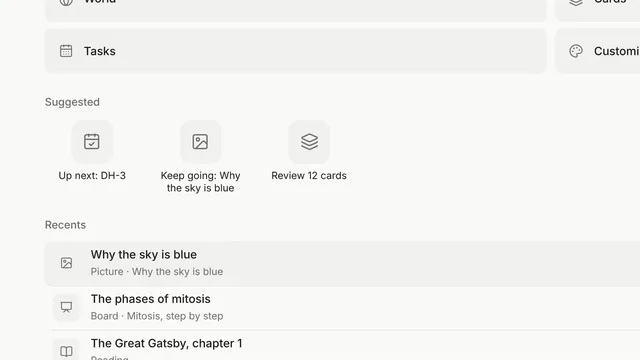 Eddy's start page and tabsFilm · 0:32Tools, Suggested and Recents; every lesson is a tab. Mac
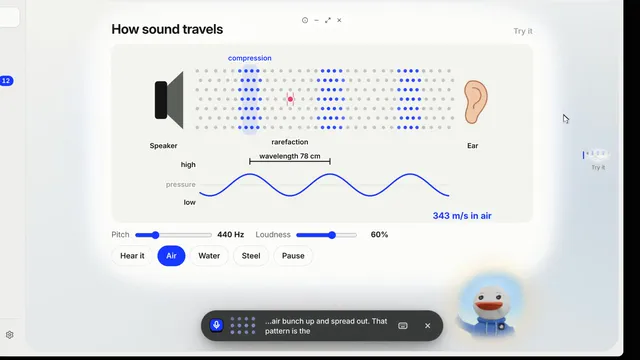 Talk to EddyFilm · 0:43Talk to Eddy out loud, and pick how Eddy answers. Mac
- Film comingHands-free listeningTurn it on and just start talking. Mac
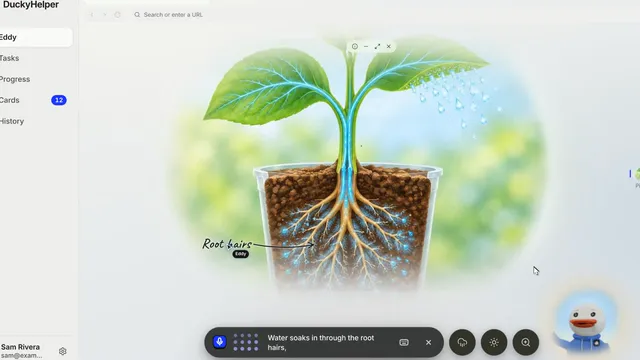 Pictures with labelsFilm · 0:35Ask to see something; Eddy labels the parts as it explains them. Mac
- Film comingTap a part to ask about itClick any part of a picture and Eddy tells you about it. Mac
- Film comingChange a picture with its buttonsThe round buttons beside the bar change the picture, and Eddy explains the change. Mac
- Film comingStep inside a sceneWorld fills the screen with a picture or a board; Escape brings it back. Mac
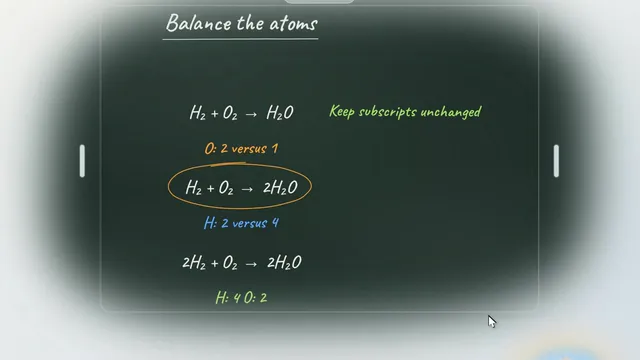 The blackboardFilm · 0:38Eddy works it out step by step on the board, in time with its voice, then it's your turn. Mac
- Film comingThe whiteboardA small board for a quick drawing or a quick check. Mac
- Film comingRead and research with EddyWikipedia, books, science pages and your files, with sources Eddy actually read. Mac
- Film comingHave Eddy read it to youListen: words light up as Eddy reads; tap a word to ask about it. Mac
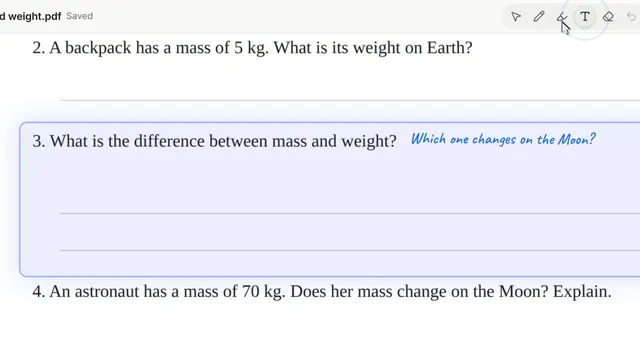 Work on your homework with EddyFilm · 0:42Open a file or take a photo; Eddy gives hints beside the question and checks your answer. Mac
- Film comingEddy's browserOpen sites in a tab; Eddy points, scrolls and clicks where you can see. Mac
- Film comingCustomize EddyPick an animal, a voice and a background. Mac
- Film comingWatch a lesson againReplay any lesson from History, at any speed, and pick it up again. Mac
- Film comingFast modeFaster answers on Plus and up; uses more of your plan. Mac: next update
Study tools
Quizzes, flashcards, steps, graphs, simulations, tasks and your progress.
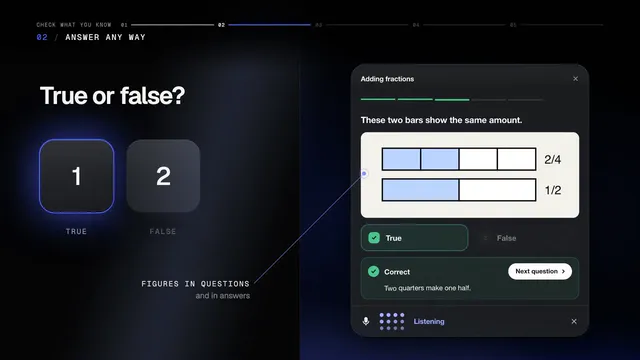 Quizzes and hintsFilm · 0:42Quick checks in any form, hints that never give it away, and why an answer is wrong. Mac
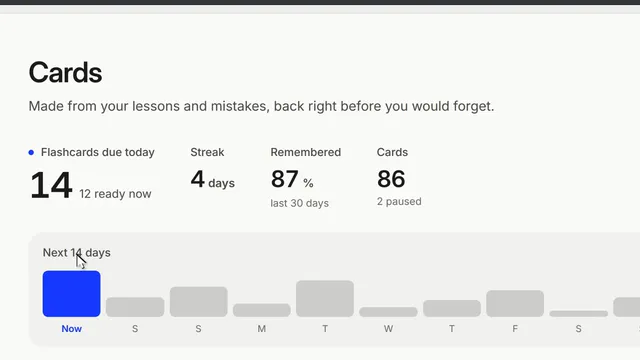 Flashcards and your CardsFilm · 0:30Cards made from your lessons and mistakes, back right before you would forget. Mac
- Film comingWorked steps you can keepStep-by-step working, kept on screen as a note you can move. Mac
- Film comingGraphs and charts you can play withHover, zoom and drag sliders to see what changes. Mac
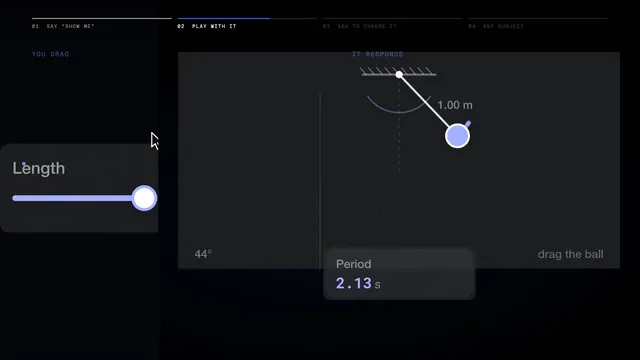 Try it: simulationsFilm · 0:40Small sandboxes you run yourself: drag, change, watch the numbers. Mac
- Film comingAnimated explainersOne drawing that builds up scene by scene while Ducky explains. Mac
- Film comingMaps, timelines and knowledge cardsWhere and when things happened, with real pictures and sources. Mac
- Film comingSay it: pronunciationHear a word slowly, say it, and see how each word scored. Mac
- Film comingCheck your mathEvery line of your working checked, and a scratchpad to write on. Mac
- Film comingLearn to codeRun your code against tests and watch it step by step. Mac
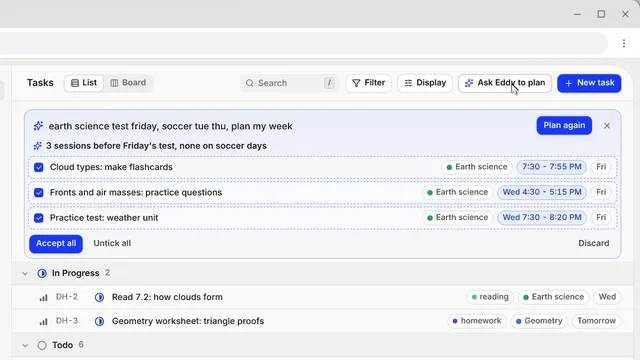 Tasks: plan your weekFilm · 0:48A clean task list, a planner that fits around your week, and a tutor that knows what's next. Mac
- Film comingProgress, Today, Mistakes and HistoryTime, streak, topics, slips to practise, and every session. Mac
- Film comingReports for a parent or teacherA short, honest summary you choose to share. Mac
- Film comingMemoryWhat Ducky keeps for you between sessions, and the switches for it. Mac
Account and family
Settings, plans, your account, a parent following along, and privacy.
- Film comingSettings, a quick tourEvery section of Settings and where things live. Mac
- Film comingPlans, limits and creditsHow limits refill, what each plan adds, credits, and inviting a friend. Mac
- Film comingYour account: password, export, deleteSign out everywhere, export your data, delete your account. Mac
- Film comingFamily: a parent follows alongOff until you turn it on; what a parent sees and does; children under 13. Mac
- Film comingPrivacy and what DuckyHelper keepsWhat is looked at and kept, and every switch that controls it. Mac
Help
Keys, and fixes for every message.
Films
Short films about DuckyHelper, each carried by one learner's question. Click one to watch it with sound.