Quizzes and mock tests

Ask for a quiz on anything. Answer in your own time. Nothing is marked until you finish.

  • In your browser
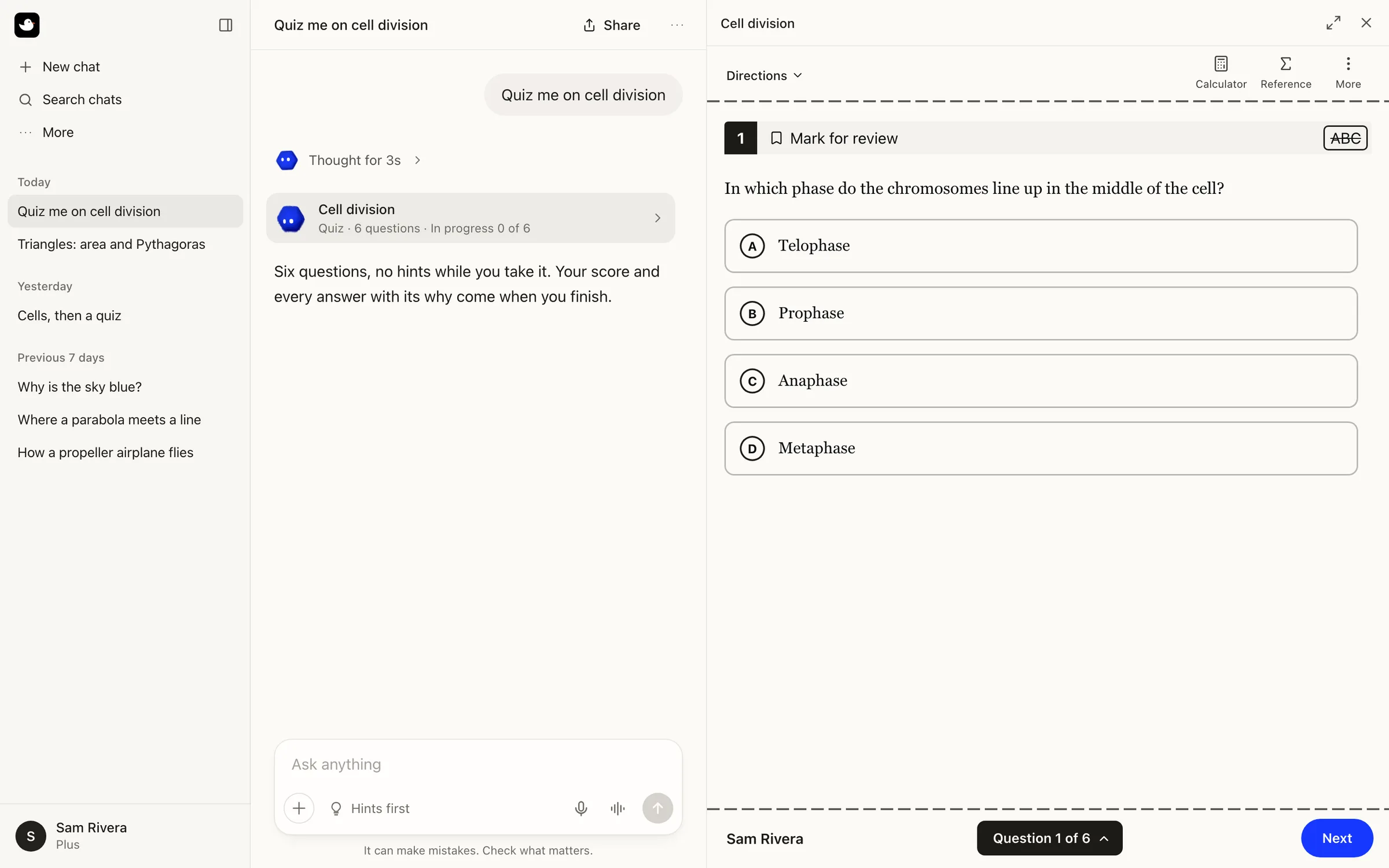
The quiz beside the chat: question 1 with four options, Mark for review, the question navigator and Next.

Take a quiz#

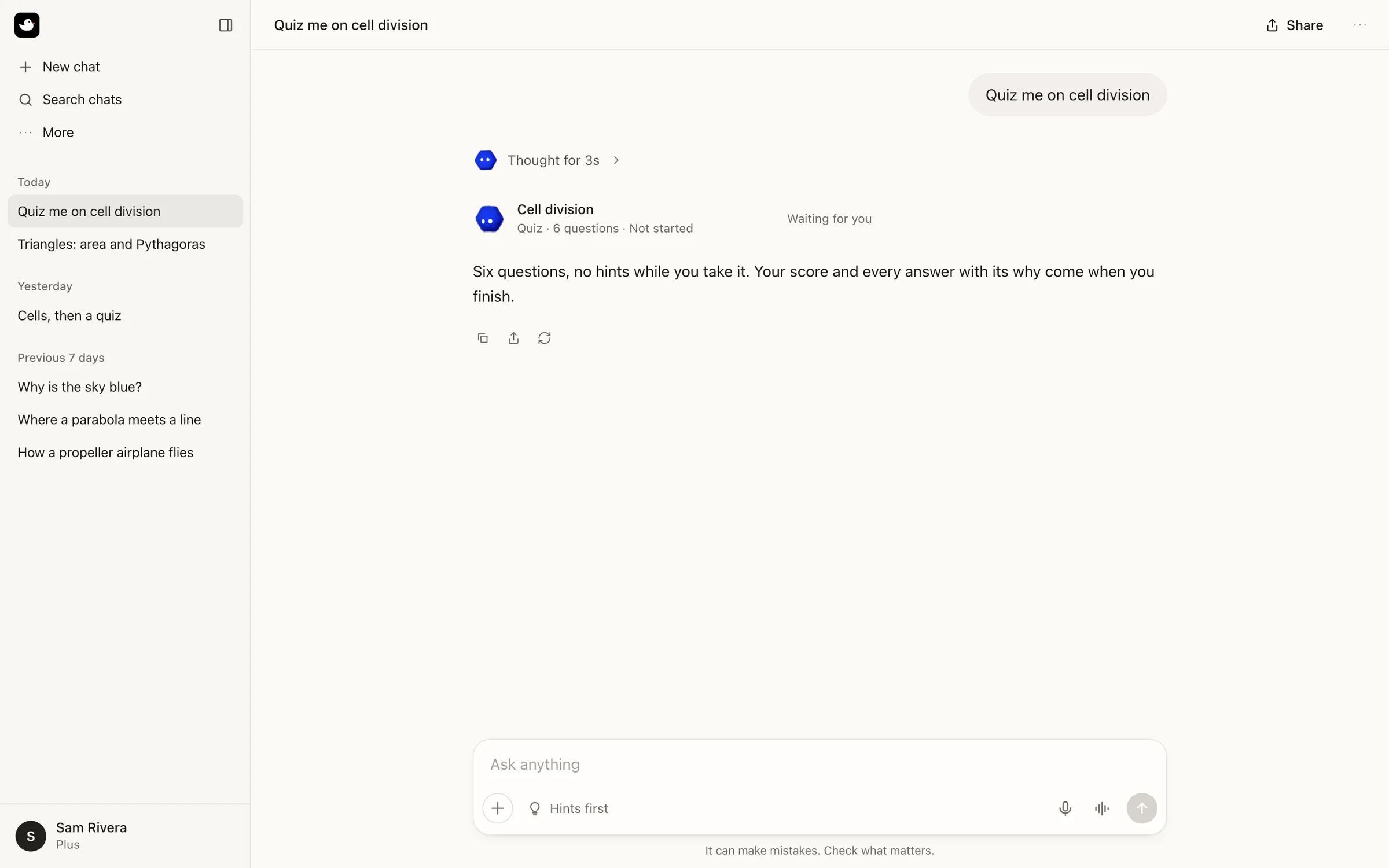
  1. Ask for a quiz. It opens beside the chat.

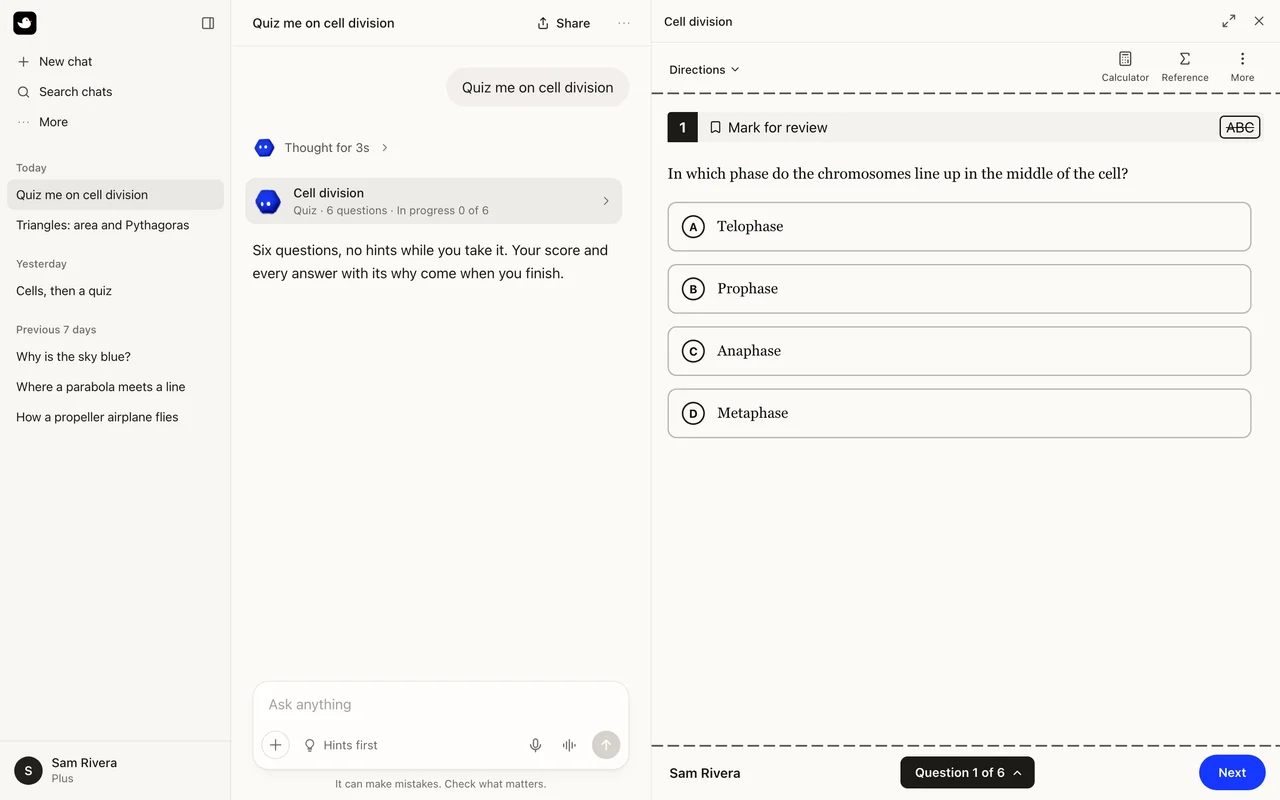
    The web chat answering Quiz me on cell division with the quiz as a row in the chat.
  2. Pick an answer. Not sure? Mark it for review.

    The quiz beside the chat: question 1 with four options, Mark for review, the question navigator and Next.
  3. Jump between questions from the bar at the bottom.

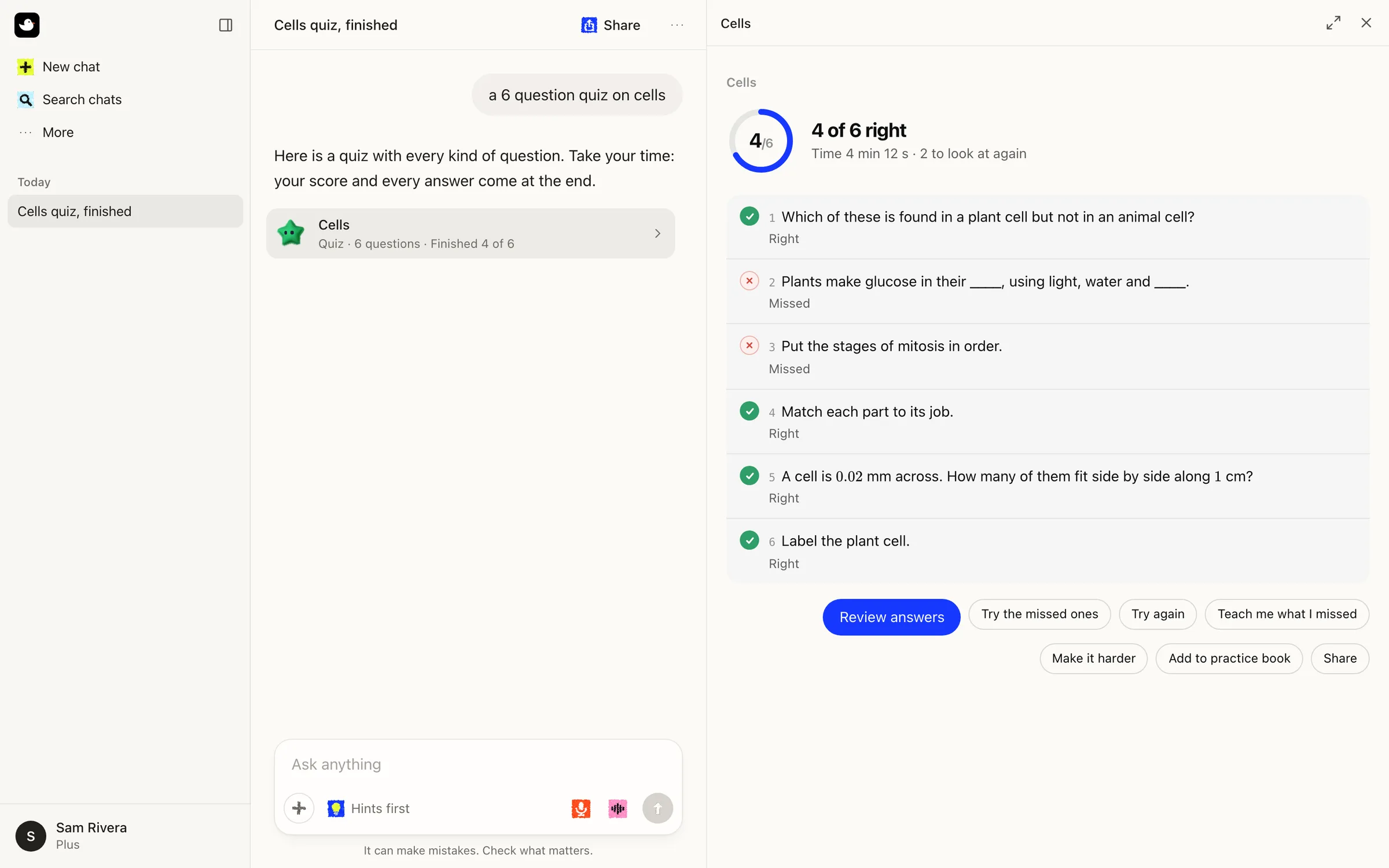
  4. Finish to see your score. Then review every answer, with the right one and why.

    The quiz results in the side panel: 4 of 6 right, time taken, each question marked right or missed, and buttons to review answers, try the missed ones, or add to the practice book.

A mock test, timed#

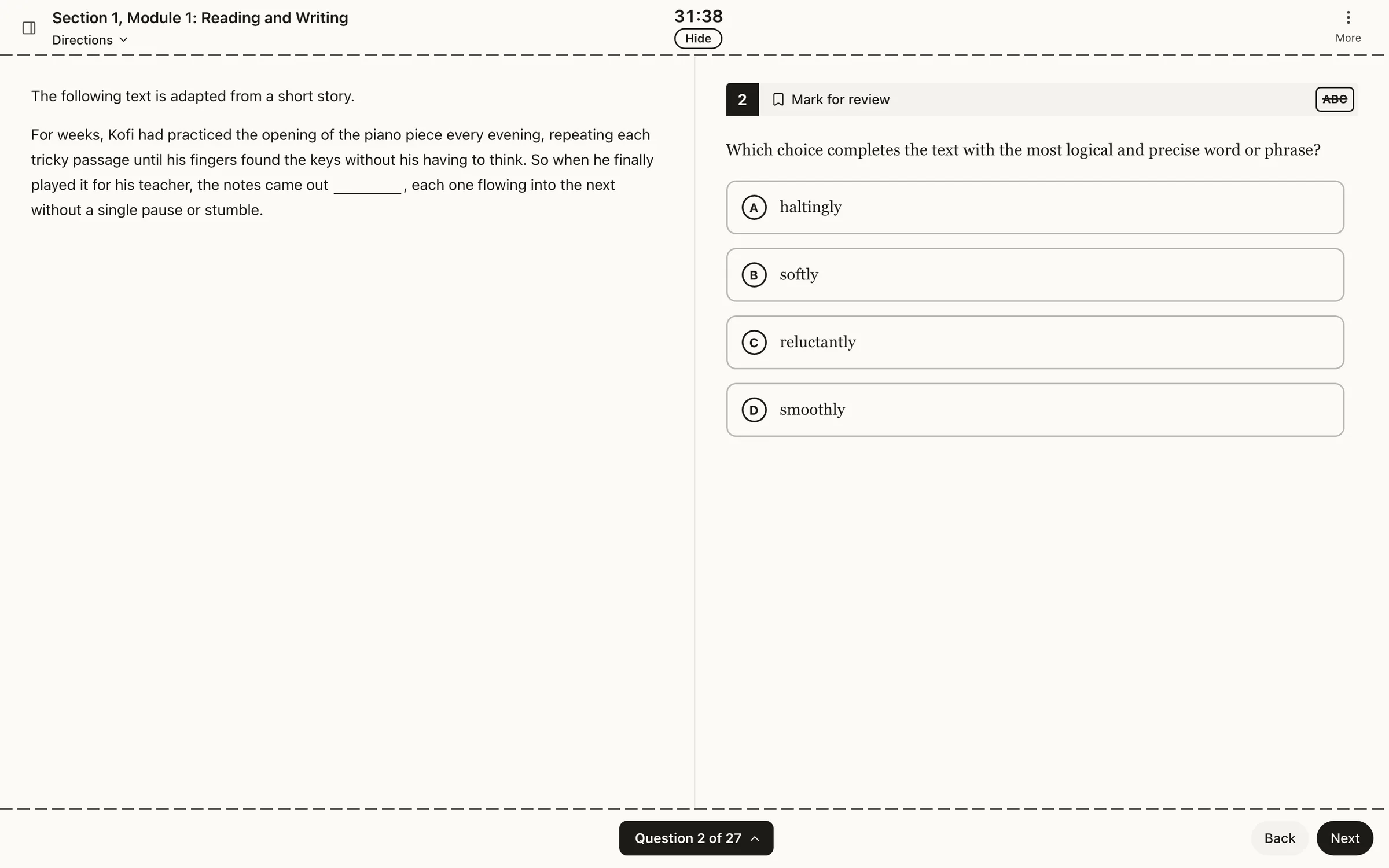
  1. Ask for a mock test. It times you and clears everything else off the screen.
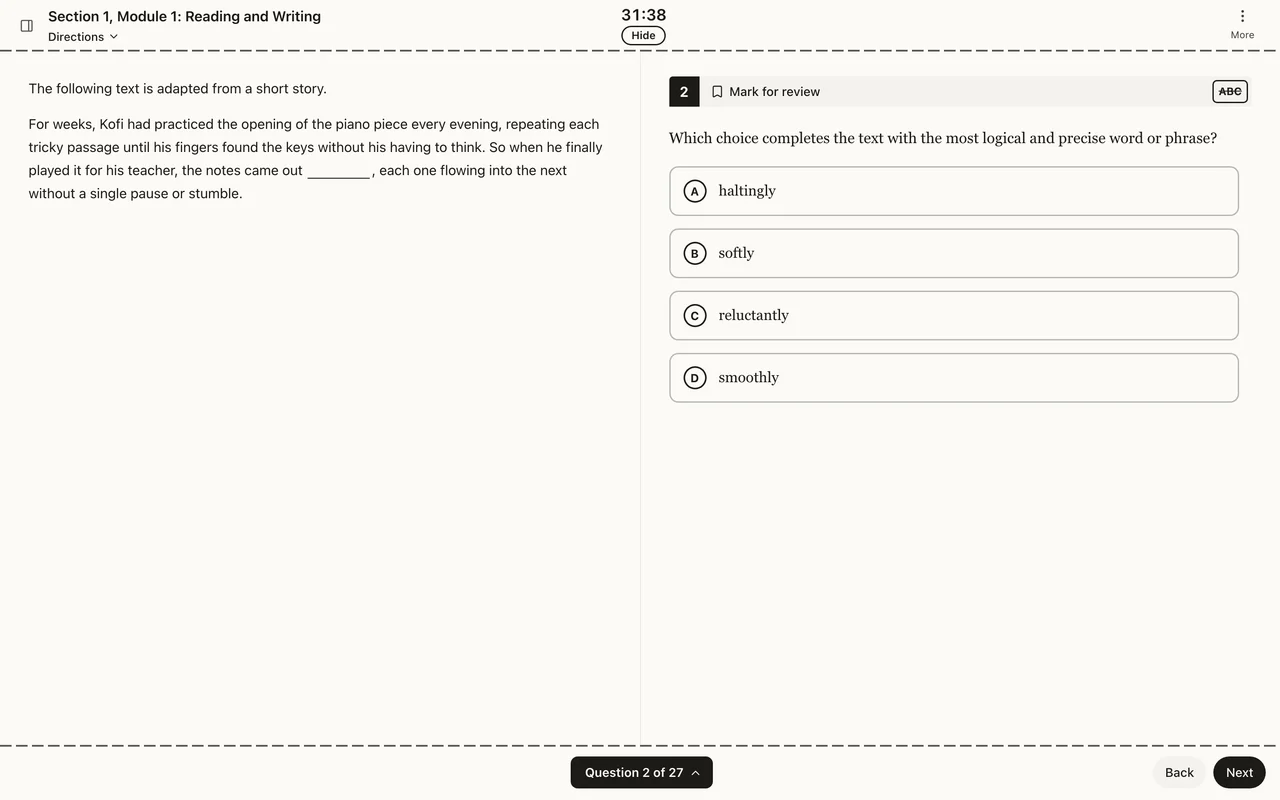
    A timed SAT practice test in focus mode: Section 1, Module 1 Reading and Writing, a countdown clock at 31:38, a short passage on the left and question 2 of 27 with four choices on the right.
  2. Hide the clock if it gets in your way.
Your practice book#

The questions you miss go to your practice book, by topic, to try again.

If it doesn't work#

What happensWhat to do
You want the answer straight awayA quiz shows no answers or hints while you take it. Finish it to review them all, or ask about the question in the chat.

Something here out of date? Write to support@duckyhelper.com.

DuckyHelper100% uptime over the last 48 days, 10 minutes degraded
Sep 25, 2026From our servers' own records of requests and errors, every 5 minutesNov 11, 2026