Plans and billing
Try it first with no card. Then start a 3-day free trial of Plus. The rules are in the Billing terms.
- Works on Mac
- In your browser
How you start#
Make an account and try it first, with no card.
When the plan screen opens, pick a plan. Plus starts with a 3-day free trial: add a card to start it.
Cancel before the trial ends and nothing is charged.
The plans#
Change or cancel#
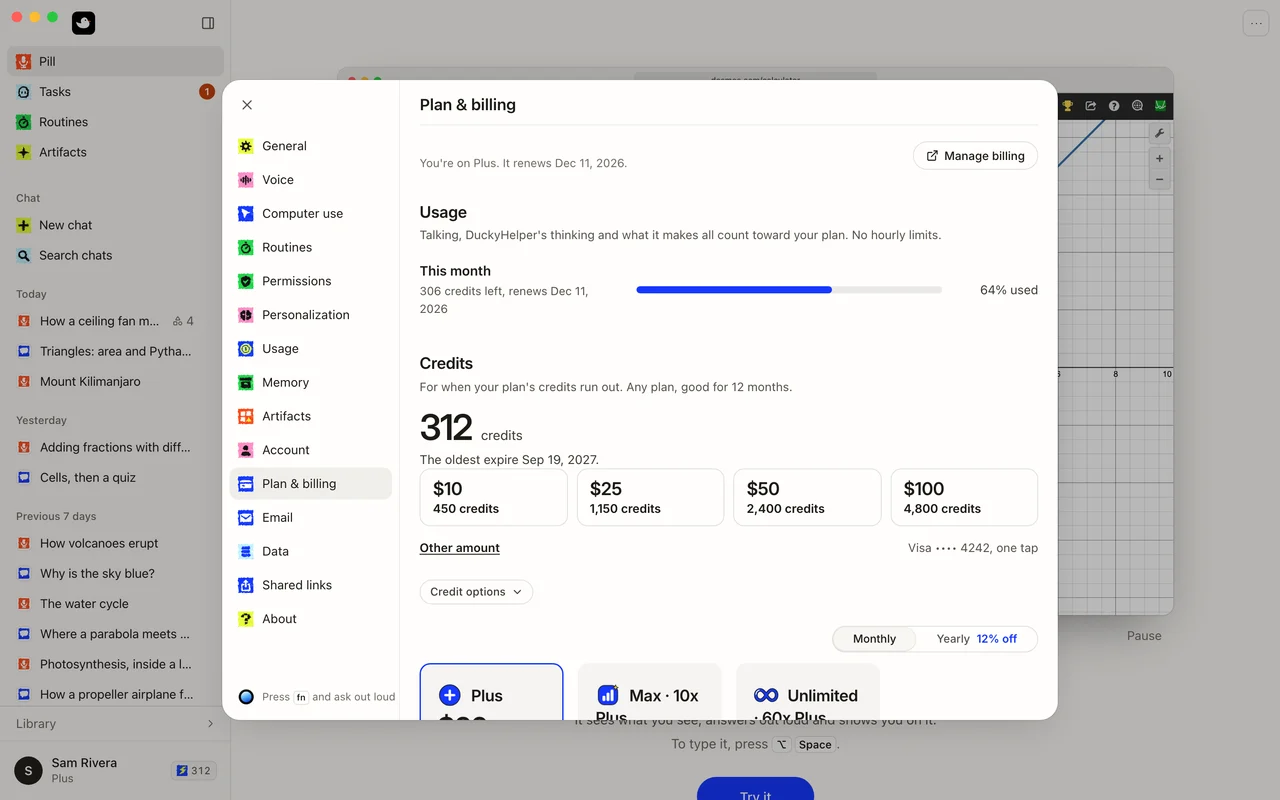
- Open Settings > Plan & billing. Press Manage billing to cancel or change your card. Your plan stays on to the end of the period you paid for.
When you reach your limit#
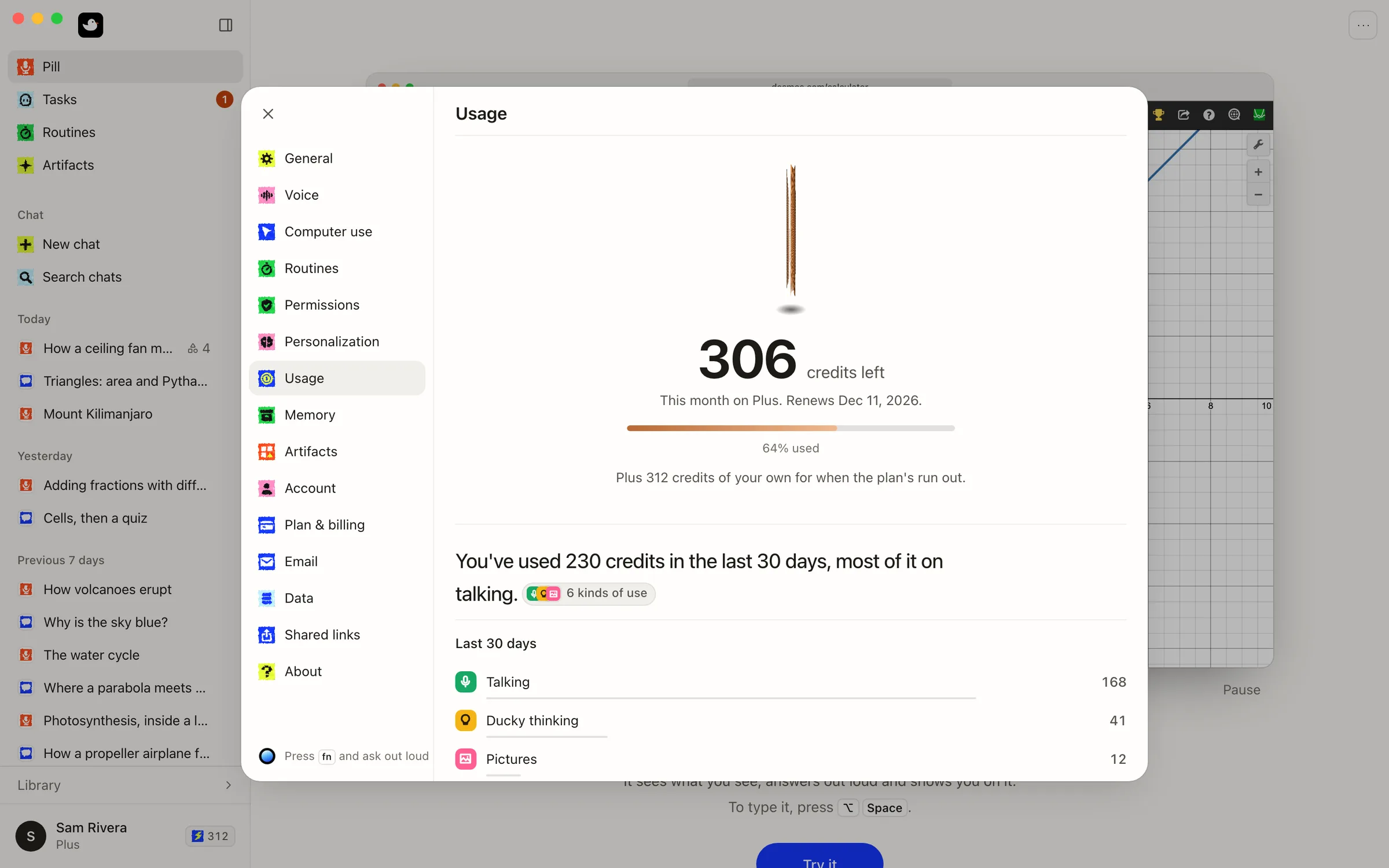
It tells you, and when your plan resets. Settings > Usage shows where it went.
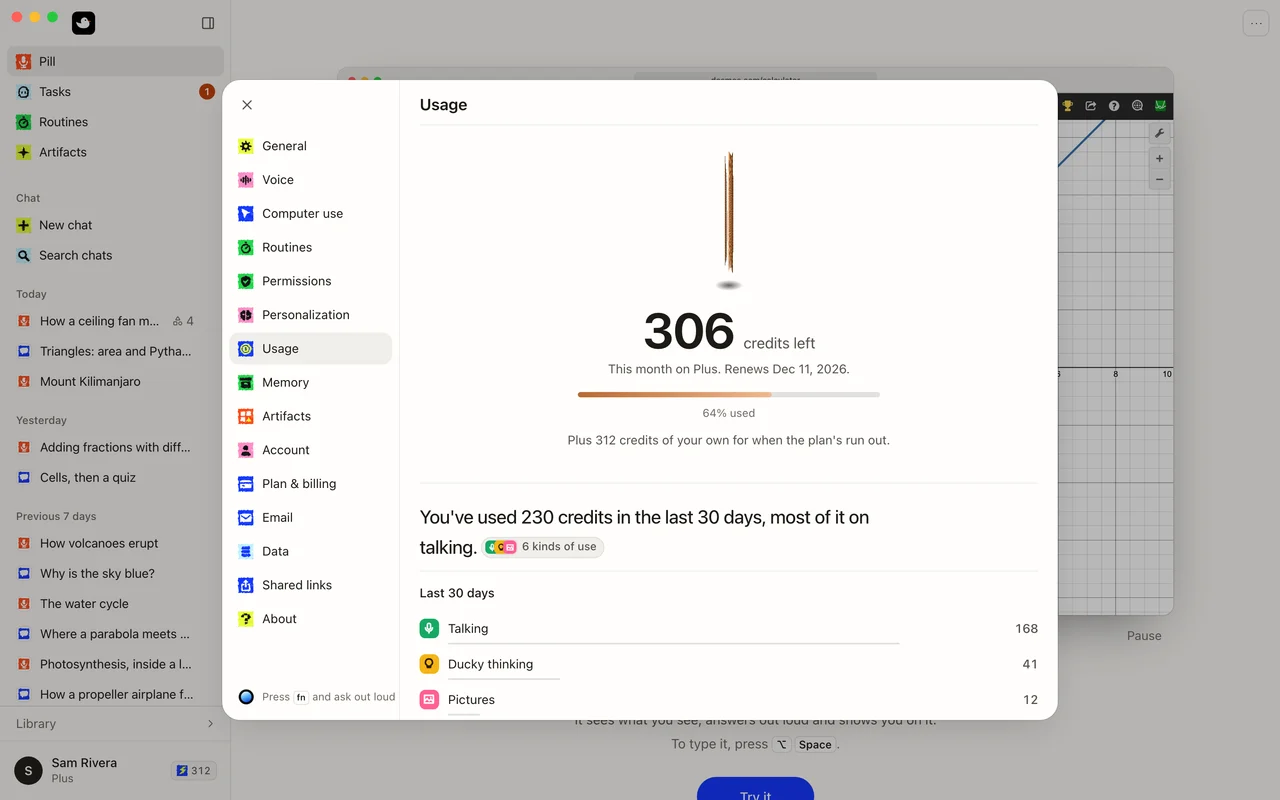
Wait for it to reset, move up a plan, or buy more in Settings > Plan & billing.
Can I try it first?#
A new account can try it first, with no card. Then you start a 3-day free trial of Plus: add a card to start, and if you cancel before it ends you pay nothing. One free trial per person.
Refunds#
Email support@duckyhelper.com first. Who gets a refund, and by when, is in the Billing terms.
If it doesn't work#
| What happens | What to do |
|---|---|
| A plan screen opens instead of DuckyHelper | Your first try is used and no plan has started. Press Start free trial to start your 3 days of Plus with a card. Your conversations and settings are all kept. |
| Paying gets stuck | Finish in your browser, or start again from Settings > Plan & billing. You can pay by card. |
| You've reached your limit | Wait for your plan to reset (it tells you when), move up a plan, or buy more in Settings > Plan & billing. |
| A payment didn't go through | Update your card in Manage billing. |
| A charge you don't recognise | Write to support@duckyhelper.com. The full terms are in the Billing terms. |
Related#
Something here out of date? Write to support@duckyhelper.com.