
Eddy
Eddy in the Eddy tab of the Mac dashboard: pictures, boards, research and homework.
16 pages, each with its own film.

Pages in Eddy
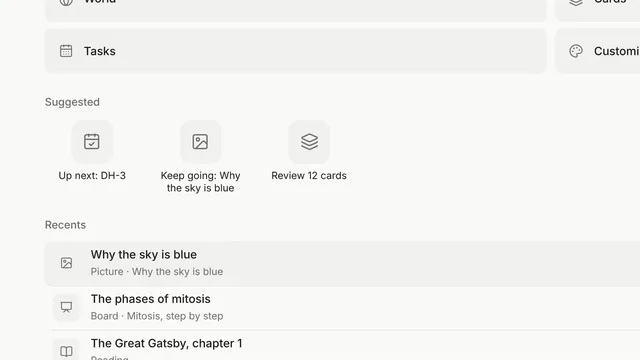 Eddy's start page and tabsFilm · 0:32Tools, Suggested and Recents; every lesson is a tab. Mac
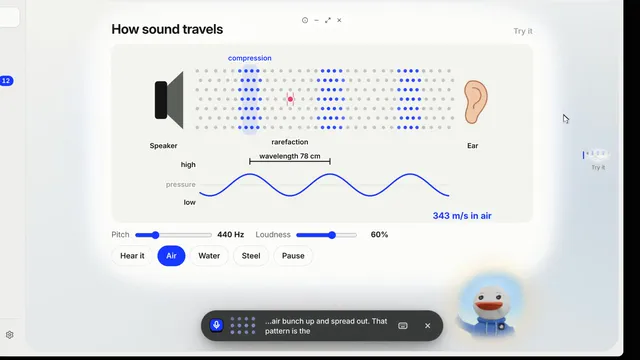 Talk to EddyFilm · 0:43Talk to Eddy out loud, and pick how Eddy answers. Mac
- Film comingHands-free listeningTurn it on and just start talking. Mac
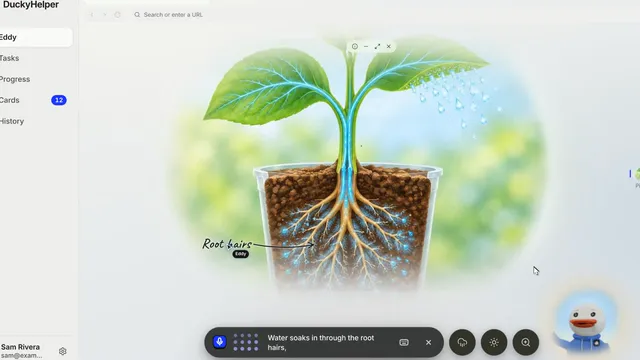 Pictures with labelsFilm · 0:35Ask to see something; Eddy labels the parts as it explains them. Mac
- Film comingTap a part to ask about itClick any part of a picture and Eddy tells you about it. Mac
- Film comingChange a picture with its buttonsThe round buttons beside the bar change the picture, and Eddy explains the change. Mac
- Film comingStep inside a sceneWorld fills the screen with a picture or a board; Escape brings it back. Mac
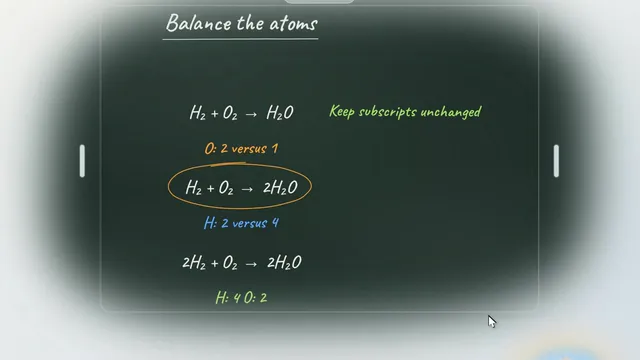 The blackboardFilm · 0:38Eddy works it out step by step on the board, in time with its voice, then it's your turn. Mac
- Film comingThe whiteboardA small board for a quick drawing or a quick check. Mac
- Film comingRead and research with EddyWikipedia, books, science pages and your files, with sources Eddy actually read. Mac
- Film comingHave Eddy read it to youListen: words light up as Eddy reads; tap a word to ask about it. Mac
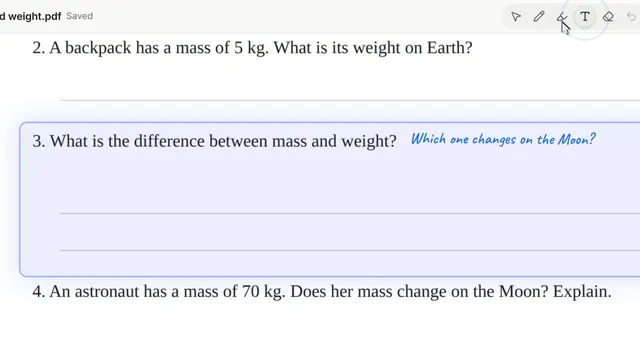 Work on your homework with EddyFilm · 0:42Open a file or take a photo; Eddy gives hints beside the question and checks your answer. Mac
- Film comingEddy's browserOpen sites in a tab; Eddy points, scrolls and clicks where you can see. Mac
- Film comingCustomize EddyPick an animal, a voice and a background. Mac
- Film comingWatch a lesson againReplay any lesson from History, at any speed, and pick it up again. Mac
- Film comingFast modeFaster answers on Plus and up; uses more of your plan. Mac: next update