
Work on your homework with Eddy
- Works on Mac only
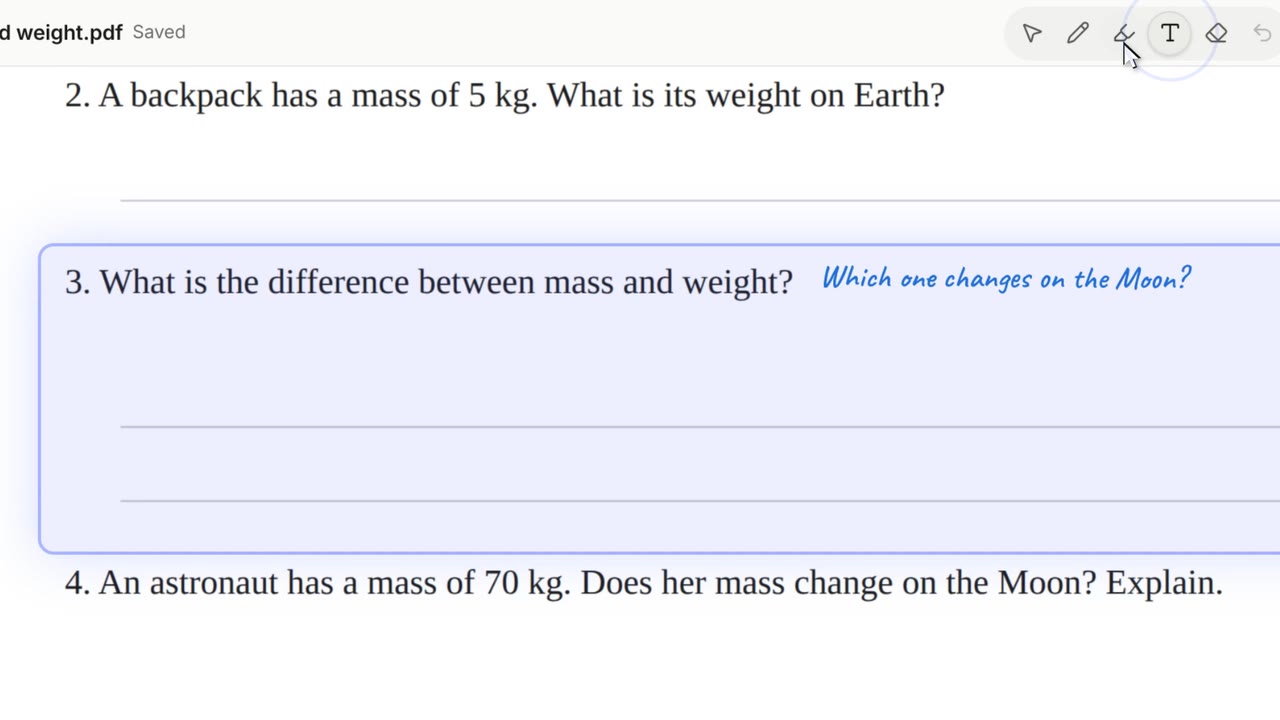
Open your worksheet and work on it together. Eddy reads the questions, gives hints first, writes a short hint beside the question, and checks what you wrote. It never just says the answer.
Film
Steps#
- Choose Open a file (⌘ O). Or use the bar's +: Open a file or Take a photo of a page of your homework. You can also drop or paste a file, or paste a Google link.
- The page opens for both of you to see.
- Ask about a question. Eddy gives a hint and writes a short one beside it.
- Write your answer with the pen or the text tool. Eddy checks it.
What you can open#
| Kind | Files |
|---|---|
| Documents | PDF, Word (.docx), OpenDocument text, RTF, Markdown, plain text |
| Slides and sheets | PowerPoint (.pptx), Excel (.xlsx), CSV |
| Pictures | PNG, JPEG, GIF, WebP, AVIF, and iPhone photos (HEIC) |
| Google files | Docs, Slides and Sheets that are shared with anyone who has the link |
Tools on the page#
- Select, pen, highlighter, text, eraser and undo.
- Zoom, rotate (pictures) and find.
- Ask Eddy about the part you are on.
Limits#
- A file can be up to 50 MB.
- Old .doc, .ppt and .xls files don't open: Eddy says how to save them in the newer format.
- Charts, SmartArt and video inside slides are left out.
- Everything opens on your Mac: nothing is converted on a server.
More films#
Short films that also show this, each carried by one learner's question. They play with sound.

Related#
Something here out of date? Write to support@duckyhelper.com.